Automatically track work hours, approve billable timesheets in one click, and see attendance and productivity side by side — without switching between tools.
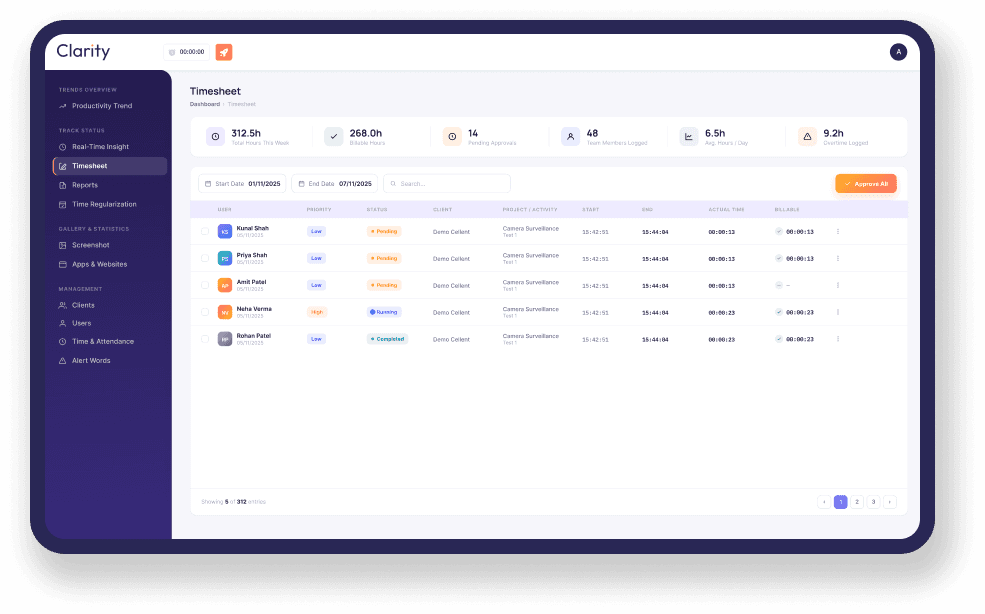
A closer look at the specific parts of Clarity's Timesheet and Attendance feature.
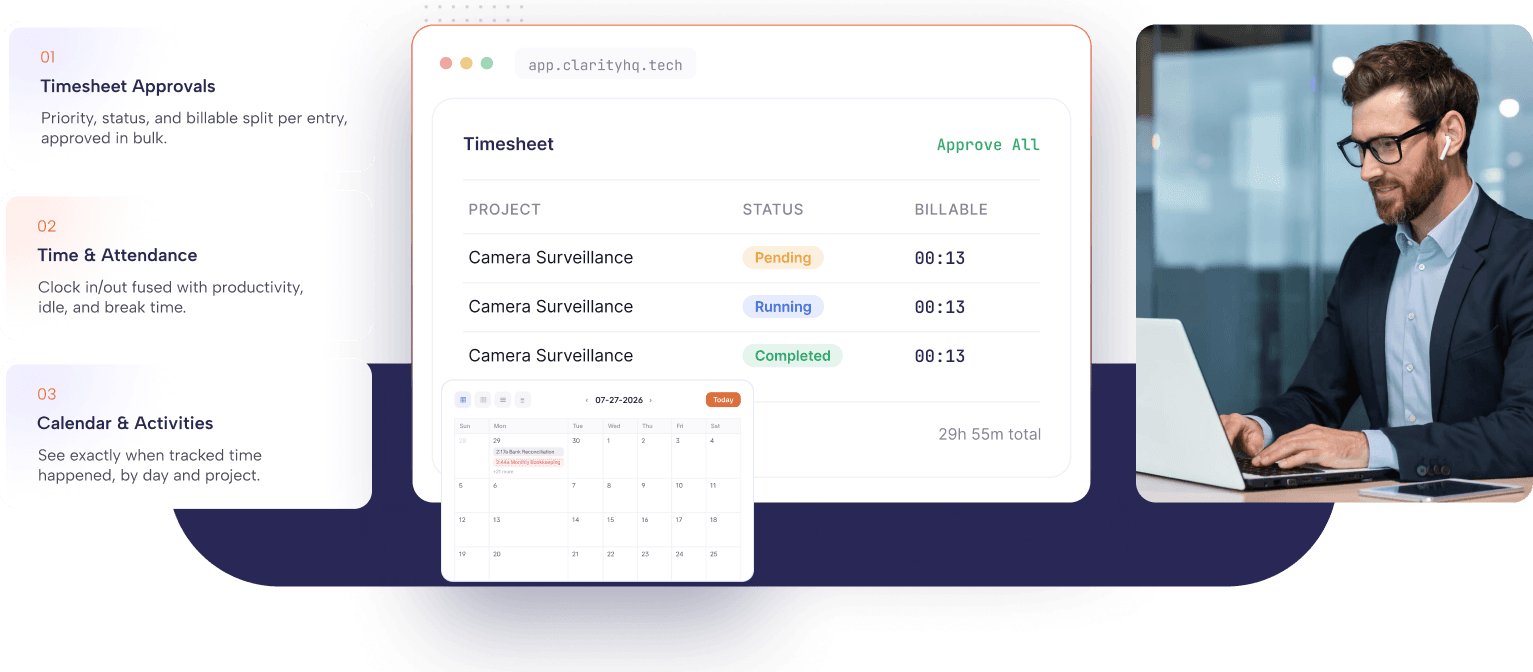
Both views use the same tracked activity but serve different purposes. Timesheets simplify approvals and billing, while Time & Attendance helps monitor attendance, work hours, and productivity.
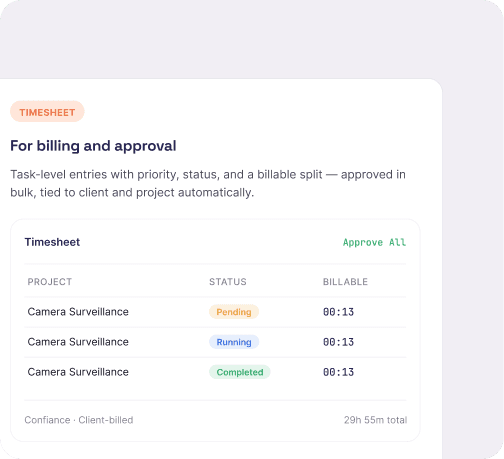
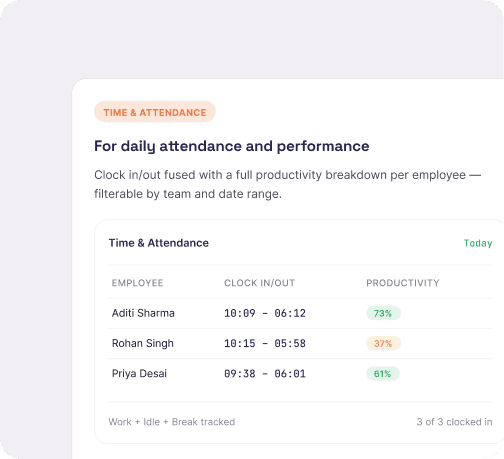
Hours are tracked automatically as work happens, then organized into accurate timesheets—so your team never has to fill them in manually.
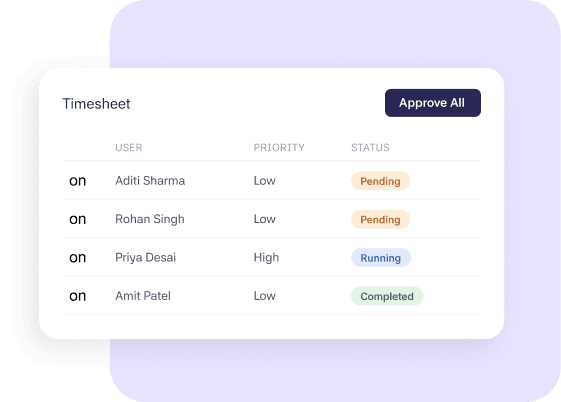
Every tracked entry carries its own priority and status — Pending, Running, or Completed — so a manager can see where a week's work stands without opening each row individually. When it's time to sign off, Approve All clears a full batch of entries in one action instead of approving them one by one.
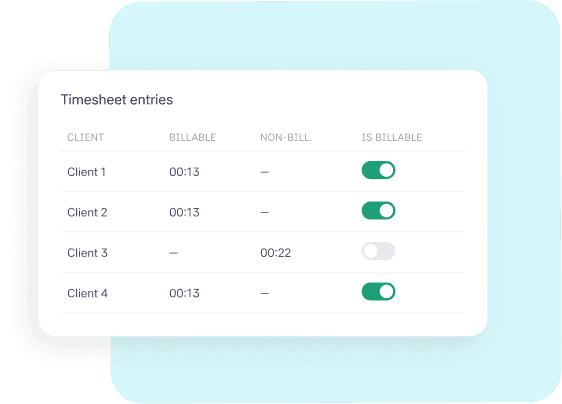
Each timesheet row is tied to its client and project automatically, with Billable Hours and Non-Billable Hours tracked separately and an Is Billable toggle for anything that needs reclassifying. This keeps billing accurate by using the same tracked hours for both timesheets and client billing—without manual reconciliation.
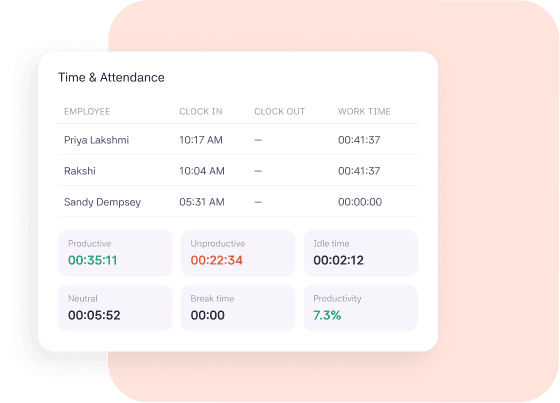
The Time & Attendance view displays Clock In, Clock Out, Work Time, Computer Activity, and Manual Time for every employee. It also breaks work time into Productive, Unproductive, Neutral, Idle, and Break time, along with an overall Productivity % for each person. Filter by team or date range to see attendance and performance together, not as two reports you have to cross-reference by hand.
As soon as tracking starts, Clarity captures work time, computer activity, and manual time automatically—without a separate attendance process.
Every task tracked becomes a row with priority, client, and project already filled in, ready for review instead of being built from scratch.
Approve billable entries in bulk with Approve All, then review attendance and daily productivity from the Time & Attendance view—all without switching to another tool.
Track work hours automatically, approve timesheets in one click, and manage attendance with real-time productivity insights. Try Clarity free for 30 days.
The same tracked activity, different insights for every role.

Approve billable hours in one click with clear separation between billable and non-billable time.

See attendance and productivity together, without switching between multiple systems.

Review employee time, projects, and productivity from one place for faster timesheet approvals.
Automatic time tracking has made payroll much easier. Our team no longer spends hours collecting timesheets. With Clarity, it takes just a few minutes each week.
Finance Lead
Consulting Firm
CLARITY is a time tracking platform that turns work hours into insights with productivity monitoring and automated payments.
Ready to get started?
Use your work email to sign up and see how it works for your team.

© 2026 All right reserved