See exactly what employees were working on with screenshots and automated app & website monitoring integrated into Clarity.
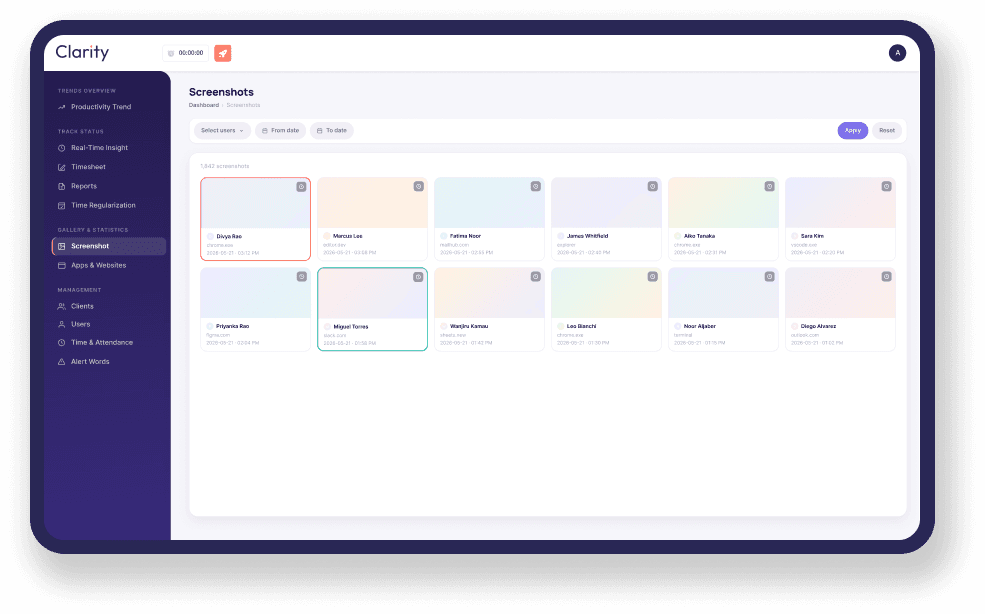
A closer look at Clarity's Screenshot and App & Website Monitoring feature:
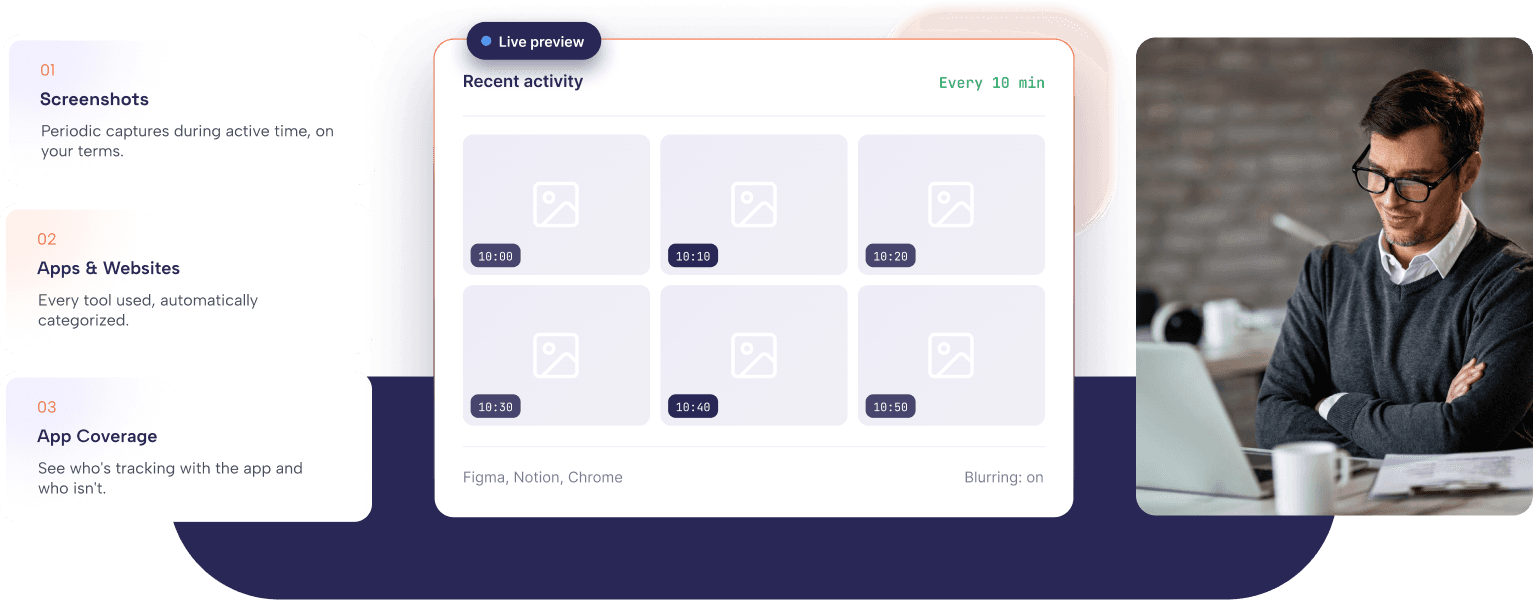
See exactly what was happening behind any tracked hour, with configurable screenshots and automatic app & website tracking.
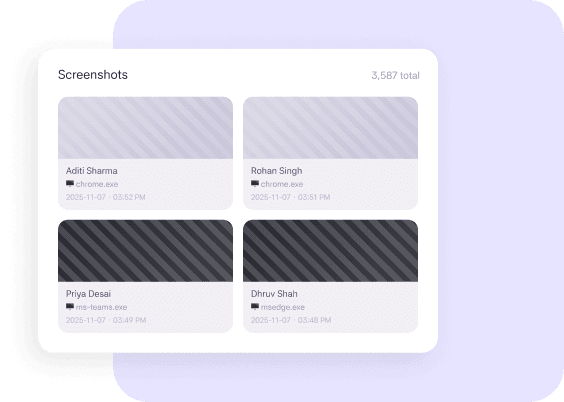
Capture periodic screenshots during active work sessions to add visual context to every tracked hour. Adjust screenshot frequency and optional image blurring to match your organization's privacy policies and monitoring preferences.
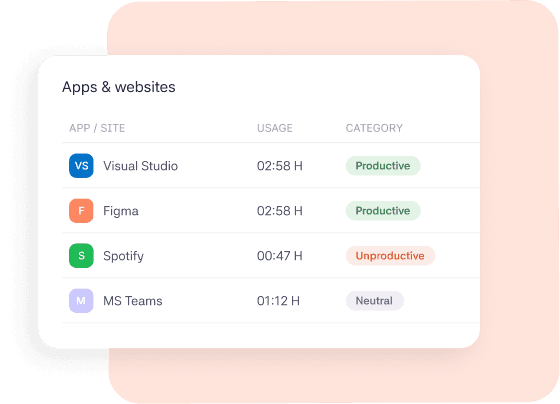
Clarity automatically records the applications and websites employees use while tracking time. Every activity is categorized, helping managers quickly understand whether time was spent on productive work, neutral tasks, or potential distractions.
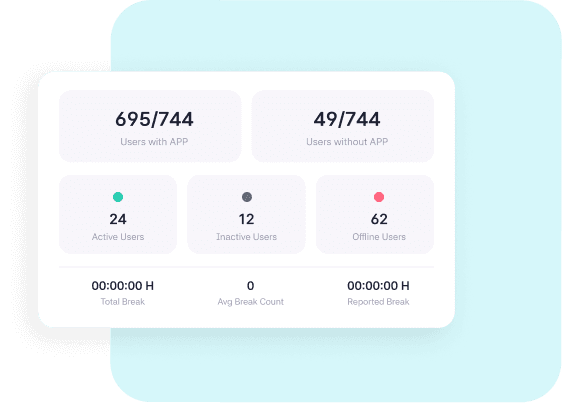
Know exactly who's actively tracking with Clarity and identify employees who haven't installed or started using the desktop application. This gives managers a clear view of tracking adoption across teams without manual follow-ups.
Choose how often screenshots are taken and how much detail to show, as per your team's monitoring requirements and company policy.
Every screenshot and app or site visit is automatically recorded and linked to the employee's activity timeline without manual effort.
Open any tracked session to review screenshots alongside app and website activity, then connect those insights with the Productivity Dashboard to better understand productivity trends.
See how screenshots, app usage, and website activity tracking together provide a complete view of employee productivity.
The visibility each team needs to understand work, improve accountability, and support productivity.

Review screenshots and activity timelines to understand how work was completed, provide training, and resolve productivity issues.

Monitor app and website usage across teams, identify workflow bottlenecks, and improve operational efficiency with real-time activity data.

Configure screenshot frequency and privacy settings to align with company policies while maintaining transparency across the organization.
When a productivity score looked unusual, we could review the timeline easily. The combination of screenshots and app tracking gave us the visibility we were missing.
Operations Manager
IT Services Company
CLARITY is a time tracking platform that turns work hours into insights with productivity monitoring and automated payments.
Ready to get started?
Use your work email to sign up and see how it works for your team.

© 2026 All right reserved